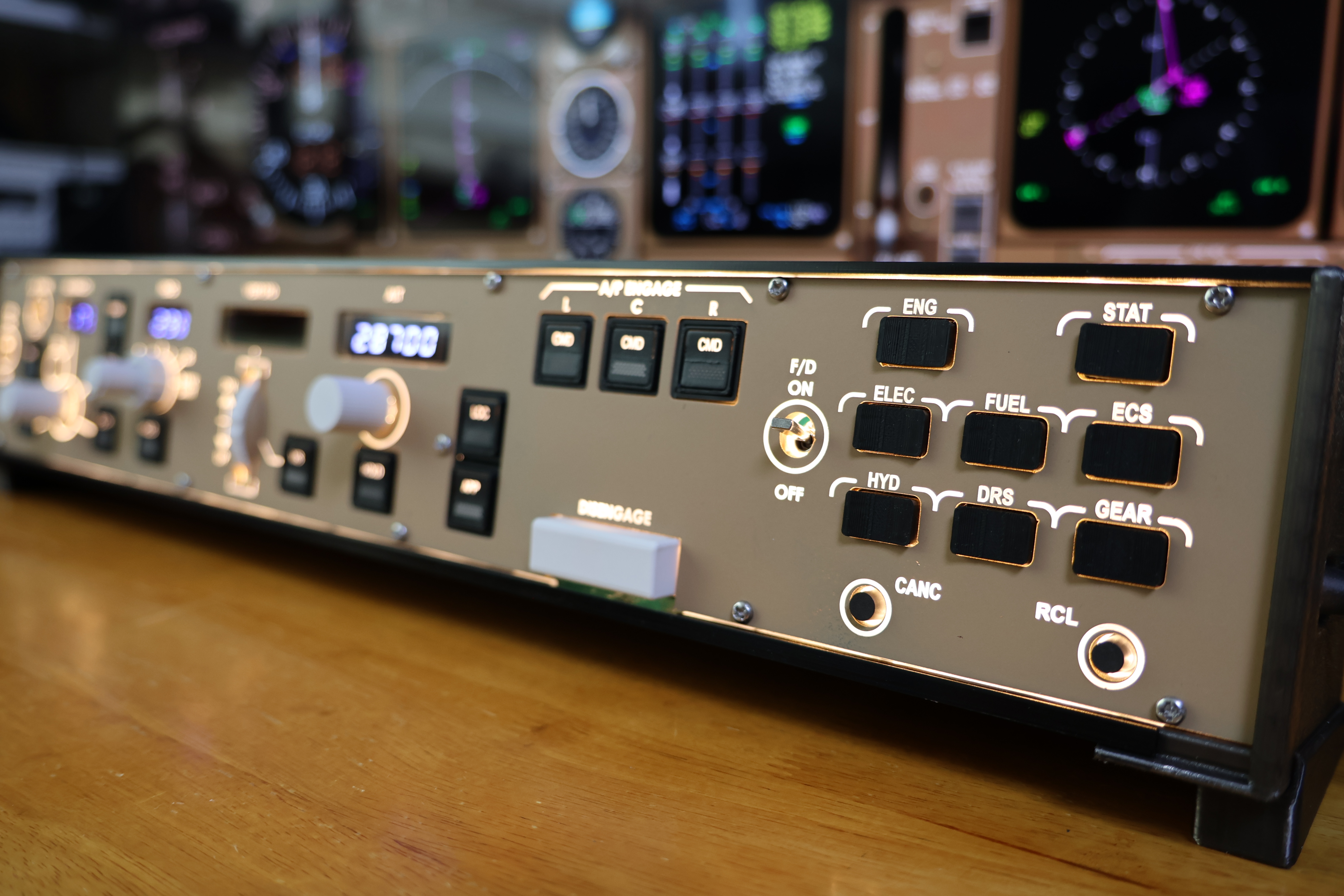
AFDS
Modes at your fingertips
13 mode buttons cover THR, SPD, LNAV, VNAV, FLCH, HDG HOLD, V/S, ALT HOLD, LOC, APP and the left, centre and right autopilot commands. Their lights follow the active simulator modes, so they show what the aircraft is doing.
FLIGHT CONTROLS
Dedicated switches
Set the A/T ARM switch to ARM or OFF, operate the captain and first officer flight directors independently, and move the physical autopilot disengage bar. These controls stay in the selected position.
SELECTORS
Fine changes or fast turns
Adjust IAS/MACH, heading, vertical speed and altitude with rotary selectors. A gentle turn makes precise changes; a faster turn moves through larger values quickly. Press the IAS/MACH selector for its push function, and set altitude in 100 ft steps.
BANK LIMIT
Choose your bank limit
Select AUTO, 5°, 10°, 15°, 20° or 25° with the dedicated physical selector.
FOUR DISPLAYS
Values from your simulator
Separate IAS/MACH, HDG, V/S and ALT windows reflect the current simulator state. When the simulator blanks a window, the panel blanks it too; Master Dim and Test behavior are reflected on the displays.
LIGHTING
Made for your cockpit
Choose green or amber annunciators, warm-white or amber panel backlighting, and a preferred maximum brightness. In PSX, panel brightness also follows the simulator's lighting controls.
READY AGAIN
Reconnect and resynchronize
If USB or the simulator connection is interrupted, MS Router retries and brings the panel back in line with the current flight, including after you load a different situation.
MS ROUTER
One simple setup
Connect power and USB-C, open MS Router and choose your simulator. The Router finds the panel automatically; there is no need to assign every button individually.